Gilead Success with Maths download link
Thanks for purchasing Gilead® Success with Maths. Click on the following link to download the program.
Gilead Success with Maths digital download (Then > download > leave > extract) See detailed instructions below.
Click on “DOWNLOAD ALL“. OR right click on the folder, “Gilead Success with Maths digital download”, and choose “Download”. This may take a few minutes.
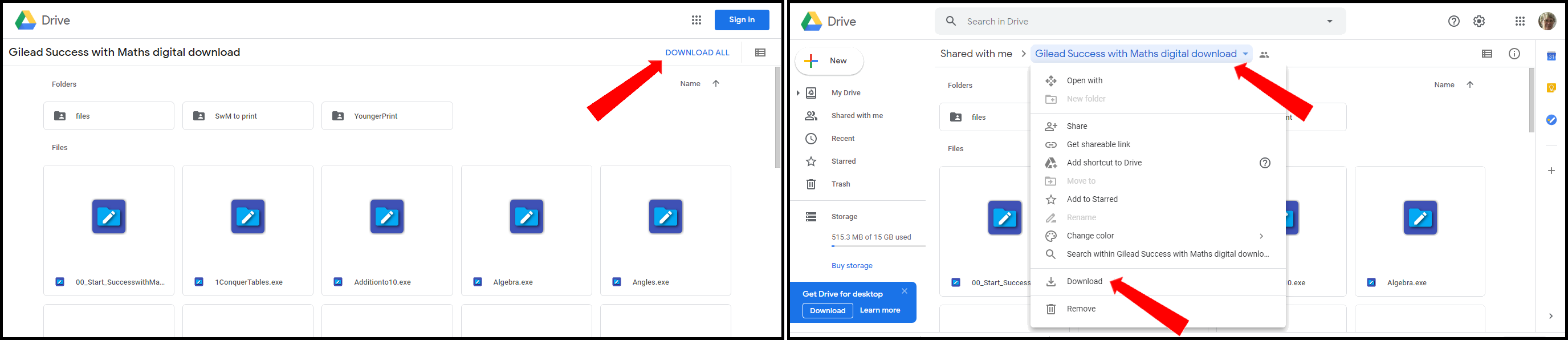
If a sign “leave” appears, click on it. You will eventually find the file in your downloads folder. Right click on it and choose “Extract here” or “Unzip to here“. This will make a folder, “Gilead Success with Maths digital download”, in your downloads folder. Move this to a convenient place. Open the folder, then double click on 00_Start_SuccesswithMaths.exe or make a shortcut from it to your desk top.
Troubleshoot: If any files appear to be missing, they will probably still actually be in your Google Drive folder. Look for them in the main folder or one of the subfolders, extract them, and then put them in the appropriate place where you have the program stored.
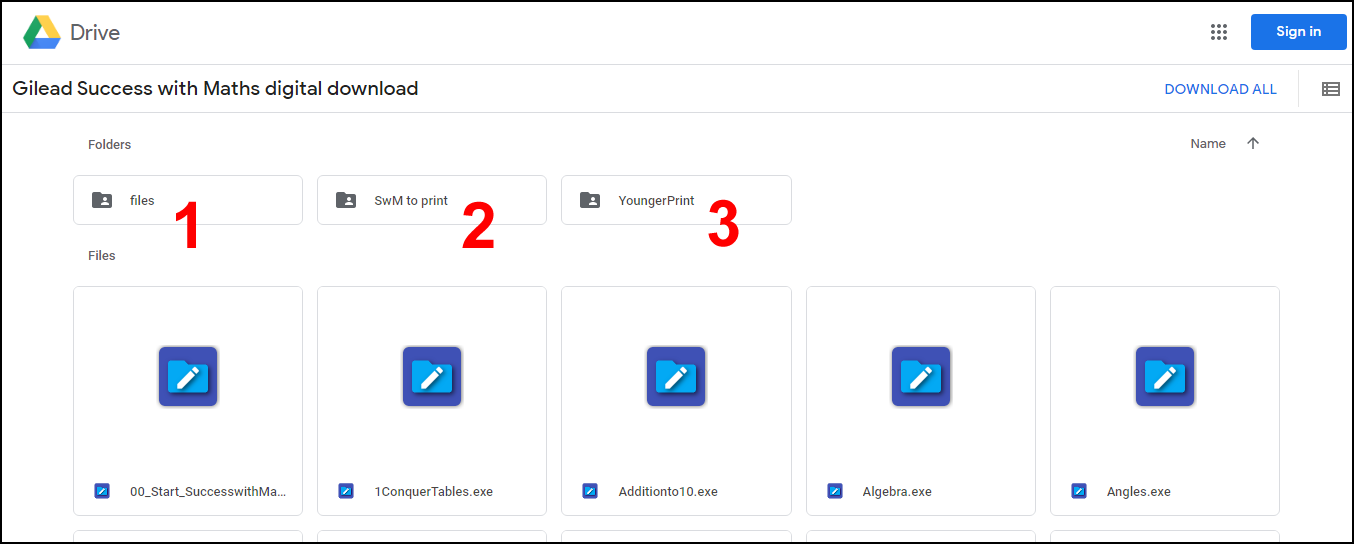
E.g. if an audio file does not play, look for it in the folder “files” (1); if a pdf file is missing, look for it the folder “SwM to print” (2) or “YoungerPrint” (3):
You will be able to access the Google Drive folder later from the link at the top of this page.